Stop The Tsunami Updates
Launch timeline, daily rewards, Beach Club perks, and what to re-check after every patch.
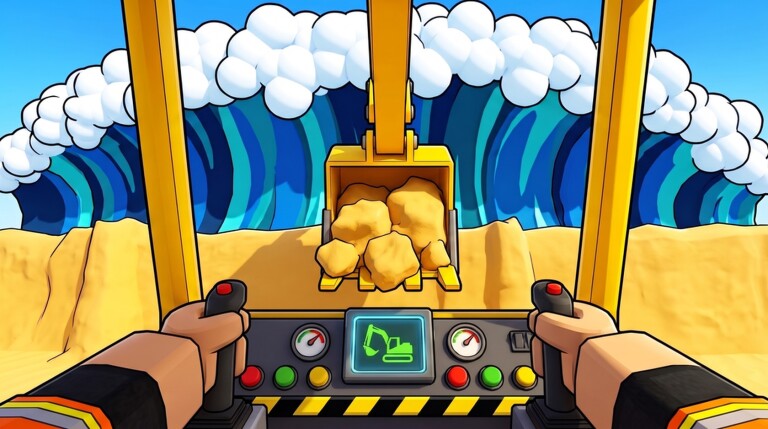
Launch window and live status
Stop The Tsunami! is a released, active Roblox experience by creator jzf25 (place 71586501620185, universe 10770463307). The place came online around 12 October 2026 and now sits around ~5.6M+ visits with ~100k+ favorites, with concurrent samples often in the ~25k–35k band during busy windows. Roblox last stamped an update in the 14 November 2026 window. It remains Roblox-only: there is no separate Steam or console client.
This Updates Hub tracks what matters after each patch: lobby UI moves, reward tweaks, mode balance, machine changes, and code drops. The current dated status page is November 2026 Status — start there for the mid-November snapshot, then use this hub as the living checklist after later touches.
Core loop that patches usually touch
Every balance pass tends to nudge one of these beats:
- Dig sand on the beach.
- Pile walls, carve trenches, and pack them hard.
- Press START ROUND and survive the tsunami.
- Collect coins into the shared wallet.
- Upgrade tools and materials for the wider beach.
If a patch feels “different,” ask which step changed: dig speed, wall HP, wave damage, coin payout, or upgrade prices. Write that down before you rebuild your co-op roles.
Modes and difficulty
The experience ships Easy, Medium, and Hard. Updates may retune wave timing, water height, or how quickly late materials become mandatory. After a difficulty patch:
- Re-test Easy with your current shovel tier before blaming the team.
- On Hard, expect gravel, boulders, clay, and concrete to matter sooner.
- Keep one player free to patch mid-wave; shared machines make role swaps cheap.
Tools and machines progression
Watch patch notes for tool prices and unlock order. The intended ladder is:
toy spade → shovels → bulldozer → skid steer → excavators → dump truck
A patch that buffs early shovels can shrink the power spike of the first bulldozer. A nerf to excavator dig volume pushes parties back toward smarter trench layouts. Dump truck value usually rises when late beaches demand bulk gravel and concrete hauls.
Daily Spin, daily rewards, and Beach Club
Free retention systems to re-verify after every update:
- Daily Spin and daily rewards — confirm the wheel and calendar still appear in the lobby and that rewards grant correctly. Full claim habits: Daily Rewards Guide.
- Beach Club group — the official description promises a free Rewind for joining. After group-perk patches, rejoin or relog if Rewind fails to apply. Claim and usage notes: Beach Club Rewind Guide.
These systems matter more while the Codes Hub shows no active public codes (status as of November 2026). Do not skip dailies waiting for a promo that has not dropped yet.
Codes and lobby UI after patches
Redemption lives in the lobby CODES area (Enter code → GO!). Patches sometimes shuffle lobby buttons. If the panel vanishes:
- Rejoin a fresh server.
- Confirm you are not inside a round.
- Recheck casing rules on How to Redeem once codes exist again.
Codes remain case sensitive whenever they are live.
Co-op systems to regression-test
Because wallets and machines are shared:
- After economy patches, verify coin grants land in the party wallet, not a hidden personal buffer.
- After vehicle patches, confirm seats, dig attachments, and dump actions still replicate for all clients.
- After collision or water changes, re-test mid-wave wall repairs so one player can still save a run.
Invite size and server fill can also change perceived difficulty even when wave math is identical.
What we watch in each patch cycle
| Area | Why it matters |
|---|---|
| Wave damage / timing | Changes which wall thickness survives |
| Coin payouts | Shifts upgrade timing on Easy vs Hard |
| Tool prices | Alters the spade-to-truck ladder |
| Late materials | Gravel, boulders, clay, concrete gates |
| Daily Spin / rewards | Primary free income while codes are empty |
| Beach Club Rewind | Group perk regressions after UI work |
| Lobby CODES panel | Needed before any promo drop |
| Softlocks on START ROUND | Blocks the entire loop |
Player checklist after an update
- Skim this hub and the current dated note — November 2026 Status.
- Claim Daily Spin and daily rewards once (Daily Rewards Guide).
- Confirm Beach Club Rewind still works (Beach Club Rewind Guide).
- Run one Easy clear before spending big on excavators.
- Glance at Codes for new promos.
- Refresh your mental tier list priorities if tool or material balance shifted.
- Send new players to Guides so they do not learn obsolete lobby layouts.
Dated status pages
- November 2026 Status — mid-November traffic band (~5.6M+ visits / ~100k+ favorites), 14 Nov Roblox update window, zero public codes, and free-system re-checks.
Future dated entries under updates/ will capture exact patch titles, bullet notes, and whether codes or Rewind changed. Between those pages, treat the official Roblox experience description and in-game lobby as the source of truth, then return here for the structured checklist.
Keep packing walls. The sea still pulls back when you clear a stage — and the next update will decide how hard it pushes forward again.
Frequently Asked Questions
Quick answers for Stop The Tsunami players.
When did Stop The Tsunami release?
The Roblox experience by jzf25 became active around 12 October 2026 and remains a live co-op beach defense game.
Where is the current November 2026 status note?
Open November 2026 Status for the mid-November visit band, 14 Nov update window, code drought, and free-system checklist.
What free rewards should I re-check after every update?
Daily Spin and daily rewards (Daily Rewards Guide), Beach Club Rewind (Beach Club Rewind Guide), and the lobby CODES panel in case a new promo launched with the patch.
Do updates change the tool progression?
They can adjust prices or power, but the ladder still runs toy spade to shovels, bulldozer, skid steer, excavators, and dump truck.
Where should I look for new codes after a patch?
Start on the Codes Hub, then use the lobby CODES area with Enter code and GO!. Codes are case sensitive when active.